
Why Most Hybrid Events Fail Before They Even Start
Here is the uncomfortable truth: roughly 67% of event organizers say their biggest hybrid event challenge is delivering an equal experience to both in-person and remote audiences, according to a 2024 EventMB industry survey. The root cause is almost never the content itself — it is a failure to meet the hybrid event technology requirements that make seamless dual-audience delivery possible. If your bandwidth is insufficient, your camera angles are wrong, or your audio mix sends a muddy signal to remote viewers, the virtual half of your audience mentally checks out within the first ten minutes.
This post is not a vague overview. It is a detailed, actionable technical requirements checklist built for event planners, AV coordinators, and corporate teams hosting hybrid events in Northern Virginia in 2026. Whether you are producing a 50-person board meeting with a global livestream or a 400-seat conference with interactive remote participation, this checklist will ensure nothing falls through the cracks.
Hybrid Event Technology Requirements: Bandwidth and Network Infrastructure
Network infrastructure is the invisible backbone of every hybrid event. When it works, nobody notices. When it fails, everyone does. Before you book a venue within the Chantilly, Herndon, Ashburn, or Dulles corridor area, demand specific answers about internet capabilities — not vague assurances.
Minimum Bandwidth Calculations
Start with this baseline: a single 1080p livestream at 30fps encoded in H.264 requires a stable upload speed of 5–10 Mbps. But that is just one stream. Real-world hybrid events layer on multiple demands simultaneously:
- Primary livestream feed: 5–10 Mbps upload (1080p) or 20–35 Mbps (4K)
- Backup/redundant stream: Match the primary — so double the above figure
- Remote presenter ingest (Zoom, Teams, or custom RTMP): 3–5 Mbps per remote speaker
- Audience Wi-Fi (event app, social media, email): 1–2 Mbps per connected device
- Cloud recording upload: 5–10 Mbps continuous
For a 200-person hybrid conference with two remote panelists and a live 1080p stream, you need a minimum of 75–100 Mbps dedicated upload bandwidth — and that is conservative. Always add a 30% overhead buffer for packet loss and network spikes.
Dedicated vs. Shared Connections
This distinction is critical. A venue that advertises ‘1 Gbps internet’ may be sharing that pipe across multiple tenants, offices, or event rooms. For hybrid events, you need:
- A dedicated, hard-wired ethernet connection for all streaming and production equipment — never rely on Wi-Fi for your primary feed
- A separate VLAN or network segment for audience Wi-Fi so guest traffic does not compete with production traffic
- A cellular bonding unit or secondary ISP as a failover. Services like LiveU or Peplink allow you to bond multiple LTE/5G connections for a backup stream
Venues in the Dulles South Court area of Chantilly, including purpose-built production facilities, often have fiber-optic infrastructure capable of symmetric gigabit speeds. Ask whether the venue provides QoS (Quality of Service) prioritization for streaming traffic.
Network Testing Protocol
Never trust a speed test from six months ago. On your site visit — ideally during peak business hours — run the following tests:
- Sustained upload speed test for a minimum of 15 minutes (not a 10-second burst)
- Jitter measurement: anything above 30ms is a red flag for real-time streaming
- Packet loss test: acceptable threshold is below 0.5%
- Latency to your CDN or streaming platform endpoint (should be under 50ms)
Video Encoding and Streaming Platform Architecture
Once your network passes muster, the next layer of hybrid event technology requirements involves how you encode, transcode, and distribute your video signal to remote attendees.
Hardware vs. Software Encoding
For professional hybrid events, hardware encoding is non-negotiable for your primary stream. Here is why:
- Hardware encoders (such as the AJA HELO Plus, Teradek VidiU Go, or Blackmagic Web Presenter 4K) deliver consistent, low-latency encoding without the unpredictability of CPU-dependent software
- Software encoders (OBS Studio, vMix, Wirecast) are excellent for multi-source switching, overlays, and graphics — but should run on a dedicated production machine with a minimum of 32GB RAM, an 8-core CPU, and a dedicated GPU
- Best practice: use a hardware encoder as your direct-to-CDN backup stream while your software production system handles the primary feed with graphics and switching
Encoding Settings Checklist
Configure your encoder with these parameters for reliable delivery:
- Codec: H.264 (AVC) for maximum compatibility; H.265 (HEVC) only if your platform and audience devices support it
- Resolution: 1080p (1920×1080) is the standard for 2026 corporate and conference events
- Frame rate: 30fps for presentations and panels; 60fps for events with significant motion (product demos, performances)
- Bitrate: CBR (Constant Bit Rate) at 6–8 Mbps for 1080p30; do not use VBR for live streaming
- Keyframe interval: 2 seconds (matching most CDN ingest requirements)
- Audio codec: AAC-LC at 128–256 kbps stereo
Platform Selection Considerations
Your streaming platform determines what interactive features your remote audience receives. Evaluate based on your event type:
- Webinar-style (one-to-many): Vimeo Livestream, YouTube Live, or a custom RTMP endpoint to your website
- Interactive conference (many-to-many): Zoom Webinar/Events, Hopin, Swoogo, or Microsoft Teams Live Events
- Premium branded experience: Custom web player with API integration, real-time polls, Q&A, and breakout capabilities
Consider whether you need DVR/rewind functionality, closed captioning (ADA compliance is increasingly expected in 2026), and multi-language audio tracks. All of these add encoding and bandwidth overhead.
Camera Placement and Video Production Setup
Camera placement for hybrid events is fundamentally different from standard event videography. You are not creating a highlight reel — you are producing a live broadcast that must hold a remote viewer’s attention for hours.
Minimum Camera Positions
For a standard conference or corporate hybrid event, plan for at least three camera positions:
- Wide/master shot: A static or slowly panning wide shot of the stage and presenter area. This is your safety camera — it always has a usable image. Position it center-rear of the audience, elevated 6–8 feet above seated eye level
- Tight/presenter camera: A camera with a 70-200mm equivalent zoom positioned at 30–45 degrees off center-stage. This provides head-and-shoulders framing of speakers. Use a tripod with a fluid head — not a fixed mount — so your operator can follow movement
- Audience/reaction camera: This camera serves two purposes: it captures audience reactions for the livestream (making remote viewers feel present) and it provides a cut-away shot that keeps the edit dynamic. Position it at the front-side of the room, angled back toward attendees
Advanced Camera Considerations
- PTZ (Pan-Tilt-Zoom) cameras are excellent for supplementary angles and rooms where a dedicated camera operator is not feasible. Models like the PTZOptics Move 4K or Sony SRG-A12 offer NDI connectivity for easy integration into IP-based production workflows
- Screen capture feed: If presenters are using slides or demos, capture the presentation output directly via HDMI into your switcher — never rely on filming a projection screen with a camera
- Confidence monitors: Place a monitor near each camera position showing the program feed so speakers can see what the remote audience sees
Lighting for Camera
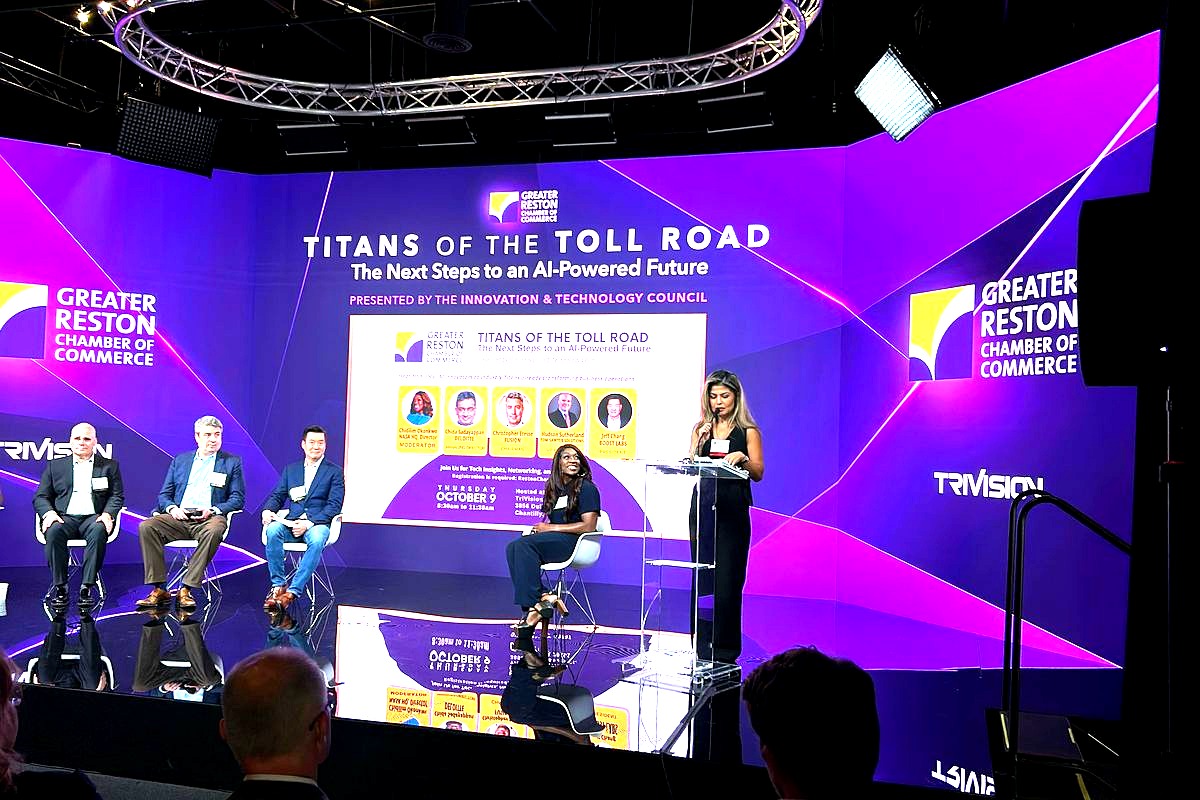
Broadcast-quality lighting is a hybrid event requirement that many planners underestimate. LED wall venues around Chantilly and Loudoun County often have sophisticated lighting grids already installed. At minimum, ensure:
- Key lights at 45 degrees to the presenter at roughly 250–400 lux on face
- Fill lighting to reduce harsh shadows (typically 50–60% of key light intensity)
- Backlight or hair light to separate the speaker from the background
- CRI (Color Rendering Index) of 90+ on all lighting fixtures to ensure accurate skin tones on camera
Audio Mixing for Dual Audiences: The Make-or-Break Factor
Industry veterans will tell you: viewers will tolerate imperfect video, but they will not tolerate bad audio. For hybrid events, audio is exponentially more complex because you are mixing for two distinct listening environments simultaneously — a live room and a remote stream.
The Split-Mix Approach
Never send the same audio mix to both your in-room speakers and your livestream. You need two separate mixes:
- FOH (Front of House) mix: Optimized for the room acoustics, PA system, and in-person audience. This mix may include room reinforcement, delay speakers, and subwoofers
- Broadcast/stream mix: A clean, isolated mix that goes directly to your encoder. This mix should not include room ambiance from overhead microphones unless intentionally blended for atmosphere. It should be compressed and limited for consistent volume across consumer playback devices
Microphone Requirements
Select microphones based on the event format:
- Podium/lectern presentations: Gooseneck condenser microphone (e.g., Shure MX418 or Audio-Technica U857Q)
- Panel discussions: Individual lapel/lavalier microphones for each panelist — never rely on a single shared table mic for more than two people
- Audience Q&A: Wireless handheld microphone with a dedicated volunteer runner. For larger events, consider audience mic stations with gooseneck mics on stands in aisles
- Remote presenter audio: Receive remote audio via a dedicated USB or Dante interface into your mixer — not through laptop speakers. Apply a gentle noise gate and EQ to match on-site presenter tonality
Audio Technical Specifications
- Use a digital mixing console with at least 16 channels and dedicated aux/bus outputs for your broadcast feed
- Apply light compression (2:1 to 4:1 ratio) and a brick-wall limiter at -3dBFS on the broadcast output to prevent clipping
- Monitor the broadcast audio mix on headphones and reference monitors throughout the event — assign a dedicated audio engineer to this task
- Ensure all wireless microphone frequencies are coordinated and scanned on-site to avoid RF interference, especially in the Northern Virginia area where federal and military frequencies are prevalent
Interactive Technology and Remote Audience Engagement
A livestream without interactivity is just a video. To meet modern hybrid event technology requirements in 2026, you must build two-way communication into the production workflow.
Essential Interactive Features
- Live Q&A: Use a platform like Slido, Pigeonhole, or your streaming platform’s native Q&A. Display submitted questions on a production monitor so your moderator can integrate remote questions into the live discussion
- Real-time polling: Launch polls that both in-person and remote audiences can answer via their phones. Display results on the LED wall or projection screen in real time
- Chat moderation: Assign at least one team member to monitor and moderate the livestream chat. Unanswered questions and spam erode the remote audience experience rapidly
- Virtual networking: For multi-session conferences, offer virtual breakout rooms or networking lounges that pair remote attendees with on-site participants via video chat stations
Integrating Remote Presenters Seamlessly
Remote speakers should appear on the same LED wall or stage screen as slide content. Technical requirements include:
- A dedicated, high-quality webcam or DSLR-as-webcam setup on the remote speaker’s end (provide a loaner kit if needed)
- Hardwired ethernet connection for the remote speaker — no Wi-Fi
- A pre-event technical rehearsal at least 48 hours before the live event to troubleshoot audio levels, video framing, and latency
- A communication channel (IFB earpiece equivalent) so your producer can cue the remote speaker without the audience hearing
Redundancy, Failover, and Contingency Planning
No amount of planning eliminates risk entirely. The difference between a professional hybrid event and a disaster is the depth of your contingency plan.
Critical Redundancy Checklist
- Dual ISP or bonded cellular backup for internet connectivity
- Backup encoder configured and ready to switch in under 60 seconds
- UPS (Uninterruptible Power Supply) on all critical production equipment — encoder, switcher, audio console, and network switches
- Pre-recorded presentation files loaded on a local playback system in case a remote presenter drops
- Spare microphones, cables, and batteries staged and accessible
- A dedicated technical director who can make real-time switching decisions independent of the event emcee or producer
Communication During the Event
Your production team needs a private communication channel — typically a wired or wireless intercom system (ClearCom, RTS, or even a dedicated Discord/Slack channel with earpieces) — so that camera operators, audio engineers, the technical director, and the stage manager can coordinate without the audience hearing.
Frequently Asked Questions About Hybrid Event Technology Requirements
What internet speed do I need for a hybrid event?
For a standard 1080p hybrid event with one livestream, a backup stream, and audience Wi-Fi, plan for a minimum of 75–100 Mbps dedicated upload bandwidth. For 4K streaming or events with multiple simultaneous streams, you may need 150–200 Mbps or more. Always use a hard-wired ethernet connection for production equipment and keep audience Wi-Fi on a separate network segment.
How many cameras are needed for a professional hybrid event?
At minimum, plan for three cameras: a wide master shot, a tight presenter shot, and an audience or reaction camera. Larger events with panel discussions or breakout stages may require five or more cameras plus PTZ units. Additionally, always capture presentation slides directly via HDMI rather than filming a screen.
Can I use Zoom for a large hybrid conference?
Zoom Webinar and Zoom Events can support up to 50,000 view-only attendees and are suitable for many hybrid conferences. However, for premium production quality, consider feeding your switched program output into Zoom via a capture card rather than relying on a laptop webcam. This gives you broadcast-quality video with graphics, multiple camera angles, and professional audio within the Zoom interface.
What is the most common hybrid event technology failure?
Poor audio quality for the remote audience is the single most common failure point. This typically results from sending the in-room PA mix directly to the stream instead of creating a dedicated broadcast audio mix. Investing in a separate broadcast mix with proper compression and limiting will dramatically improve the remote attendee experience.
How far in advance should I test hybrid event technology?
Conduct a full technical rehearsal at the venue at least 48–72 hours before the event. This rehearsal should include end-to-end streaming tests, remote presenter connectivity checks, audio level setting, camera blocking, and failover scenario drills. Day-of sound checks alone are not sufficient for hybrid events.
Do hybrid events require ADA-compliant captioning?
While legal requirements vary, best practice in 2026 is to provide real-time closed captioning (CART or AI-generated with human correction) for all hybrid event livestreams. Many streaming platforms now support embedded CEA-608/708 captions or sidecar caption files. This also improves engagement for viewers in sound-sensitive environments.
Execute Your Hybrid Event With Confidence at Trivision Event Center
Meeting every hybrid event technology requirements checkpoint on this list demands two things: meticulous planning and a venue built for production. Trivision Event Center in Chantilly, Virginia — located right off the Dulles corridor and within easy reach of teams across Herndon, Ashburn, Reston, Centreville, and the greater Northern Virginia region — was purpose-built for exactly this kind of event. With fiber-optic internet infrastructure, professional LED video walls, integrated AV production capabilities, flexible studio configurations, and an on-site team that understands the difference between a FOH mix and a broadcast mix, Trivision eliminates the most common points of failure before your event day even arrives.
Stop patching together hotel ballroom Wi-Fi and rented gear. Contact Trivision Event Center to schedule a technical site visit and see how a venue designed for hybrid production transforms your next conference, corporate event, or gala into a seamless experience for every attendee — whether they are sitting in the front row or watching from the other side of the world.